Education topic guide
Free TI Calculator Online Alternative
Utilnivo is an independent product and is not affiliated with or endorsed by Texas Instruments.
What is Utilnivo’s TI calculator online alternative?
Utilnivo offers free browser-based scientific, graphing, statistics, equation, matrix, complex-number, calculus, and algebra calculators. They cover common classroom and homework workflows without calculator hardware or downloads. Utilnivo is an independent product and is not affiliated with or endorsed by Texas Instruments.
What people mean by “TI calculator online”
Searchers usually want browser access to the same kinds of tasks they do on a handheld graphing or scientific calculator—not a branded emulator.
- Scientific calculations with trig, logs, powers, and angle modes
- Graphing one or more functions with zoom, trace, and tables
- Statistics summaries and linear regression
- Matrix arithmetic and small linear systems
- Equation roots and quadratic checks
- Complex number forms and arithmetic
- Numerical derivatives, integrals, and limits
Choose the right Utilnivo calculator
Pick the workspace that matches your task. Each card links to a live Utilnivo tool—not a handheld emulator.
Online Graphing Calculator
Plot multiple functions, build tables, find roots and intersections, and run numerical calculus overlays.
Scientific Calculator
Evaluate trig, logs, powers, factorials, and constants with degree, radian, or gradian mode.
Statistics Calculator
Describe data lists, run linear regression, and review probability helpers locally.
Equation Solver
Find numerical roots, apply the quadratic formula when coefficients are known, and solve small linear systems.
Matrix Calculator
Multiply matrices, compute determinants and inverses, reduce to RREF, and solve Ax=b.
Complex Number Calculator
Convert a+bi to polar and exponential forms and perform complex arithmetic.
Calculus Calculator
Estimate derivatives, definite integrals, and limits numerically with method notes.
Algebra Calculator
Combine equations, matrices, and complex numbers in one private workspace.
Utilnivo calculator screenshots
Original Utilnivo workspace captures — not Texas Instruments product photos or emulator screenshots.

Scientific Calculator — trig, logs, powers, and local history in the browser 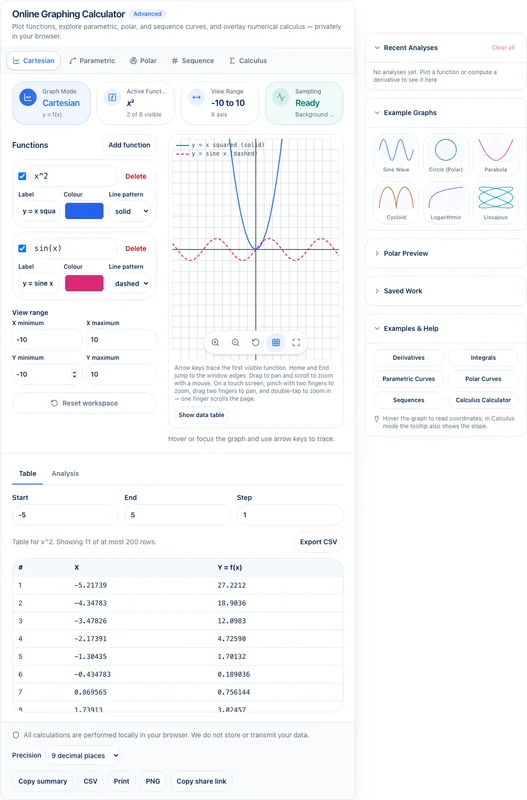
Graphing Calculator — multiple functions with distinct colors and styles 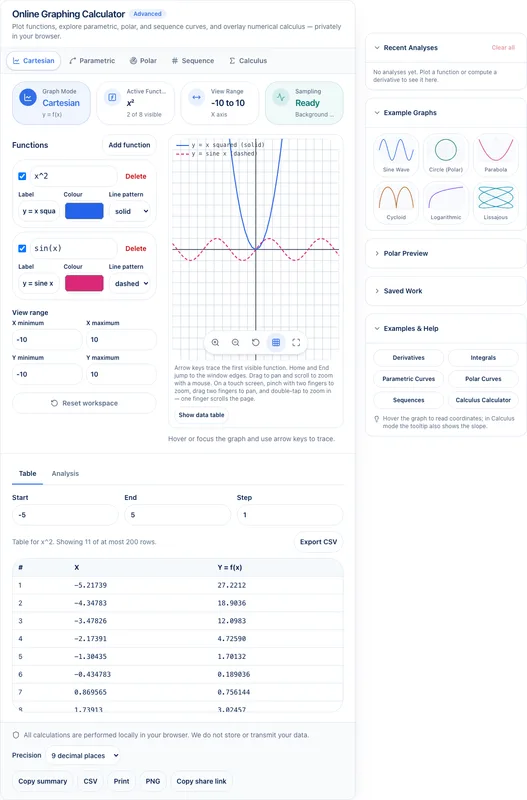
Function table — ordered pairs synced to the visible graph window 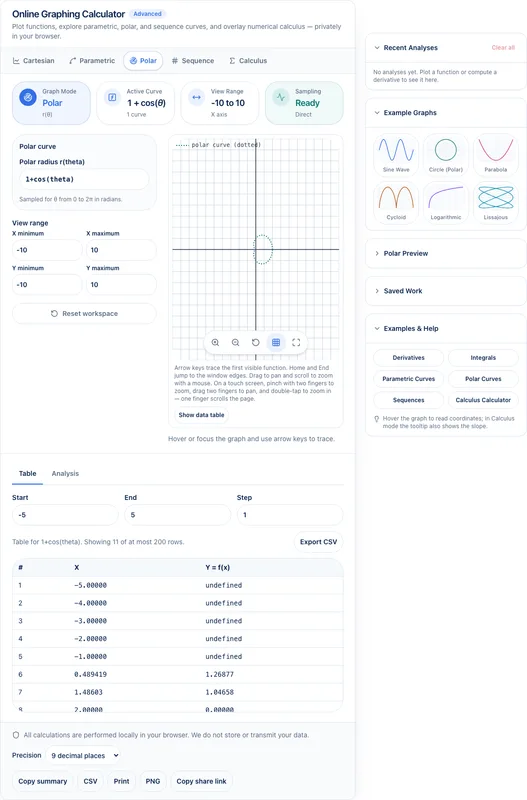
Polar graphing — switch modes without leaving the browser workspace 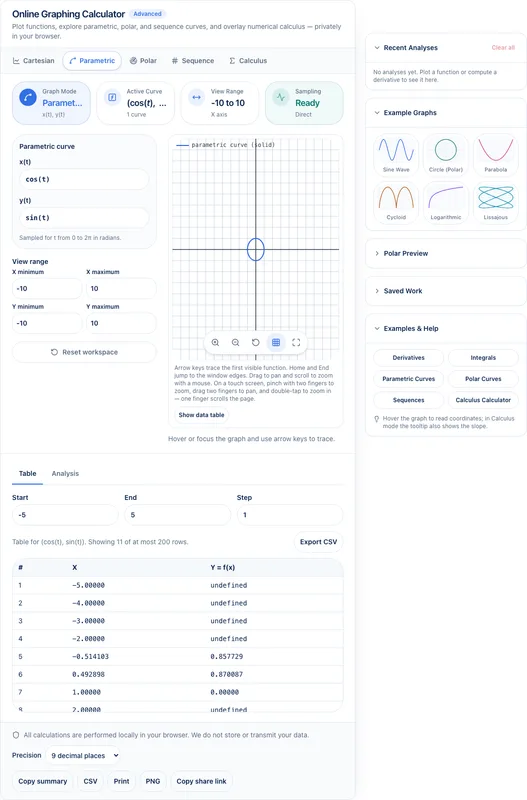
Parametric curves — x(t) and y(t) sampled in the same workspace 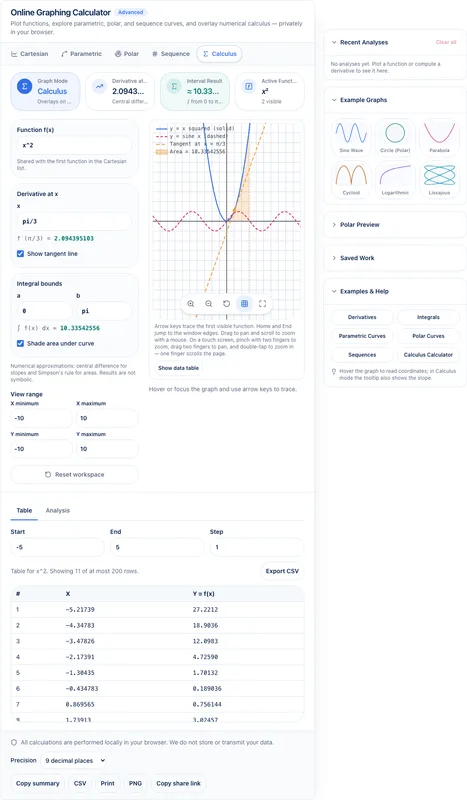
Calculus overlays — numerical derivatives and integrals with method notes 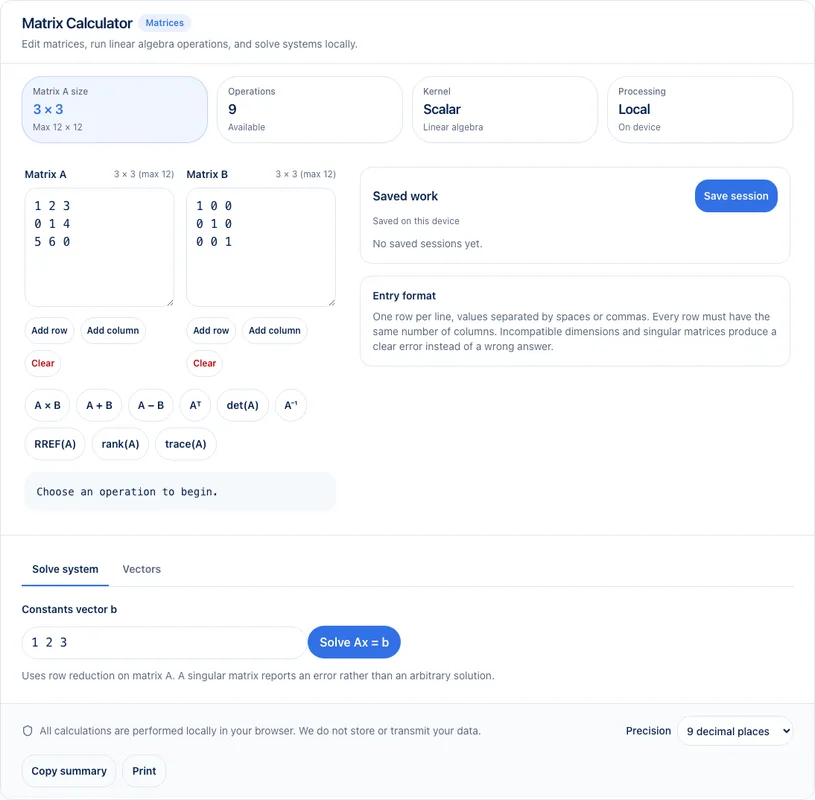
Matrix Calculator — multiply, invert, RREF, and solve Ax=b locally 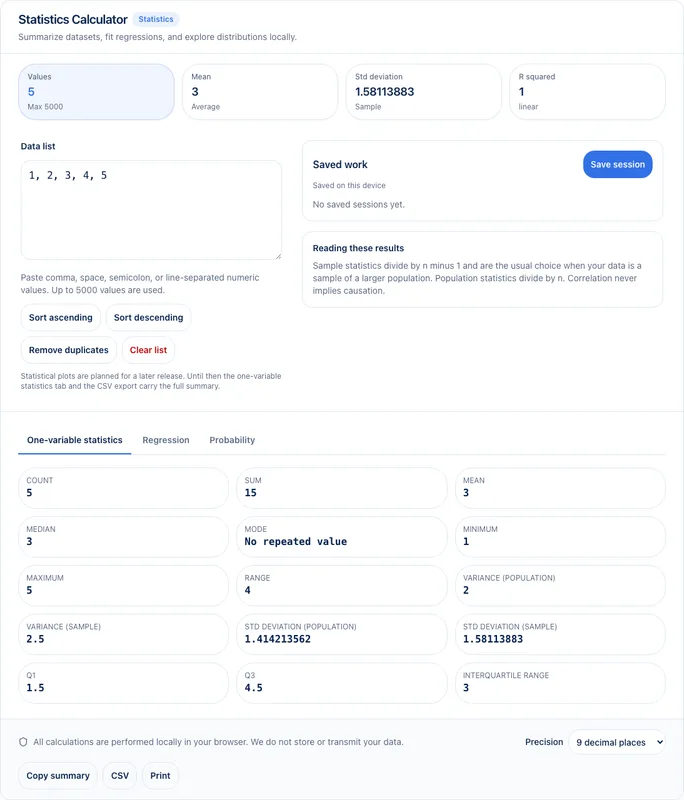
Statistics Calculator — descriptive stats and linear regression on your device
Feature comparison
Status values reflect implemented Utilnivo behavior only. Competitor pricing and licensing are not compared here.
| Capability | Utilnivo status | Notes |
|---|---|---|
| Browser-based scientific calculations | Available | — |
| Multiple function graphing | Available | — |
| Function tables | Available | — |
| Roots | Available | Numerical estimates with method notes |
| Intersections | Available | — |
| Minimum and maximum analysis | Available | — |
| Statistics | Available | — |
| Regression | Limited | Linear regression for paired data in this release |
| Matrices | Available | — |
| Complex numbers | Available | — |
| Numerical derivatives | Available | — |
| Numerical integrals | Available | Also available on the Calculus Calculator |
| Parametric graphing | Available | — |
| Polar graphing | Available | — |
| Sequence graphing | Limited | Explicit sequences a(n); not recursive TI-style programs |
| Save session | Available | Stored locally on your device |
| Share graph | Limited | Share links when platform sharing is enabled |
| Export graph | Available | PNG export and CSV tables |
| TI operating system | Not available | — |
| TI-Basic compatibility | Not available | — |
| Official TI product | Not available | — |
| Exact TI keypad and menus | Not available | — |
Scientific and graphing workflows
Start on the Scientific Calculator for keypad-style trig and algebra checks, then move to the Online Graphing Calculator to plot y = f(x), compare multiple curves, and inspect a function table.
Use trace, Find zeros, Find intersection, and Analysis tools for roots, crossings, extrema, and definite integrals. Results are numerical approximations with method labels—not symbolic CAS claims.
Statistics and regression
Paste a numeric list or x,y pairs into the Statistics Calculator to review mean, median, standard deviation, quartiles, and linear regression with R and R² when defined.
Datasets stay on your device. Export CSV when you need a copy for class notes.
Matrices and complex numbers
Use the Matrix Calculator for multiplication, determinants, inverses, RREF, and Ax=b. Use the Complex Number Calculator for rectangular, polar, and exponential forms.
When you want equations, matrices, and complex conversions in one session, open the Algebra Calculator workspace.
Derivatives and integrals
The Calculus Calculator estimates derivatives at a point, definite integrals, and limits with left-hand, right-hand, and two-sided sampling.
Graphing Calculus mode can overlay numerical analysis on a plotted function. Every estimate discloses the method and warnings when sampling looks unstable.
Privacy and local processing
Utilnivo math calculators are designed to run in your browser. Expressions, datasets, matrices, and graph sessions are processed on your device for these tools—you do not need an account to calculate.
Optional local history and saved sessions stay on the device you are using. Clear them anytime from the tool UI.
Limitations
- No Texas Instruments firmware, ROM images, or operating system
- No TI-Basic program compatibility
- No exact TI keypad layout, menu system, or casing recreation
- No claim of exam-mode equivalence or standardized-test approval
- Numerical calculus and roots are approximations, not full symbolic algebra
- Sequence graphing supports explicit a(n) forms, not recursive handheld program styles
Utilnivo is an independent product and is not affiliated with or endorsed by Texas Instruments.
Frequently asked questions
Is Utilnivo an official Texas Instruments calculator?
No. Utilnivo is an independent product and is not affiliated with or endorsed by Texas Instruments.
Can I use the calculator without downloading software?
Yes. The Utilnivo math calculators run in your browser. No desktop app, ROM, or firmware download is required.
Is the calculator free?
Yes. Standard scientific, graphing, statistics, equation, matrix, complex, calculus, and algebra workflows are free to use without signup.
Can I graph more than one equation?
Yes. The Online Graphing Calculator supports multiple functions with visibility toggles and distinct styles.
Does it support scientific functions?
Yes. Use the Scientific Calculator for trig, logs, powers, factorials, constants, and angle modes.
Can it calculate matrices and solve equations?
Yes. Use the Matrix Calculator for linear algebra and the Equation Solver for numerical roots and small systems. The Algebra Calculator combines several of these workflows.
Does it support statistics and calculus?
Yes. The Statistics Calculator covers descriptive stats and linear regression. Derivatives and integrals are numerical estimates on the Calculus Calculator and in graphing analysis tools.
Does it emulate a TI-84 or support TI-Basic?
No. Utilnivo does not emulate a TI-84, run TI-Basic, or reproduce Texas Instruments operating systems, ROMs, or exact keypad layouts.